
PNGtuber vs VTuber: Differences, Pros & Cons (And How to Start Without Overspending)
If you made it here, you’re probably thinking about creating content without showing your real face, and you’ve bumped into two terms that sound similar but aren’t the same thing: PNGtuber and VTuber. Don’t worry, you don’t need to figure it all out today. In this guide I’ll walk you through it calmly, with real examples, honest pros and cons, and the tools I actually recommend (many of them free 💸) so you can get started right away, without spending money you don’t need to spend yet.
What exactly is a PNGtuber?
A PNGtuber is the simplest way to appear as a virtual character on stream. Instead of a fully animated model, you use a handful of static images (PNG files, hence the name) that switch depending on your voice: one for when you’re quiet and one for when you’re talking. Some creators add extra images for expressions like surprise, anger, or embarrassment, but the core idea stays super simple: images that react to your microphone, no camera or facial tracking required.
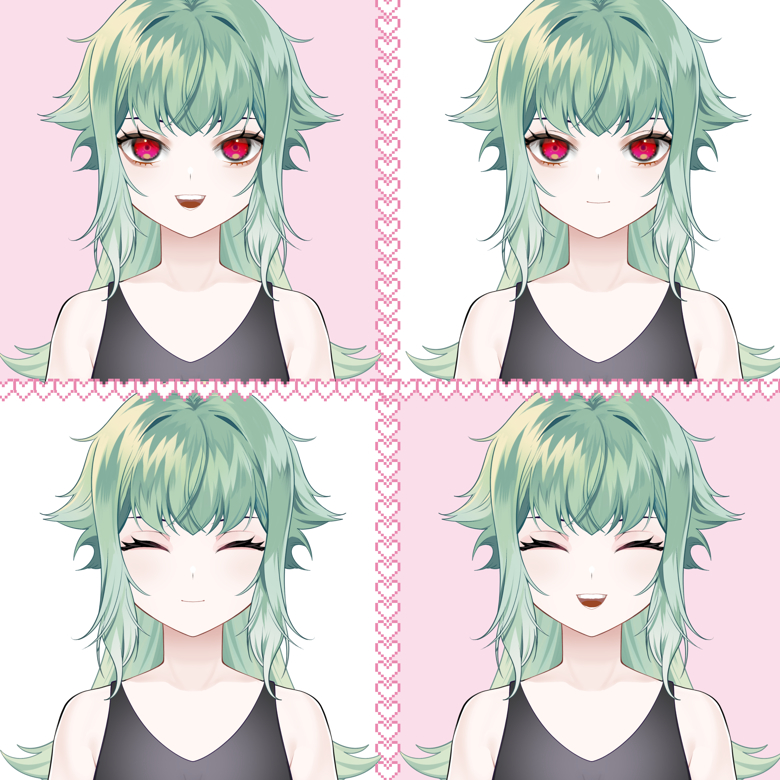
pngtuber by jim amber
It’s basically the streaming equivalent of a classic video game “talksprite”: it pops on when you speak, that’s it. That’s exactly why it’s the go-to entry point for people who are still testing the waters of streaming with a virtual identity.
What’s a VTuber, then?
A VTuber (short for “virtual YouTuber”) uses a fully animated avatar, either 2D (usually built with Live2D technology) or 3D, that moves in real time by mirroring your face, gestures, and sometimes your whole body. To pull it off you’ll need a webcam or an iPhone with Face ID, face-tracking software, and typically a model commissioned from an artist (or made yourself with avatar-creation tools). The result is way more expressive: natural blinking, head turns, smiles that appear on their own while you talk.
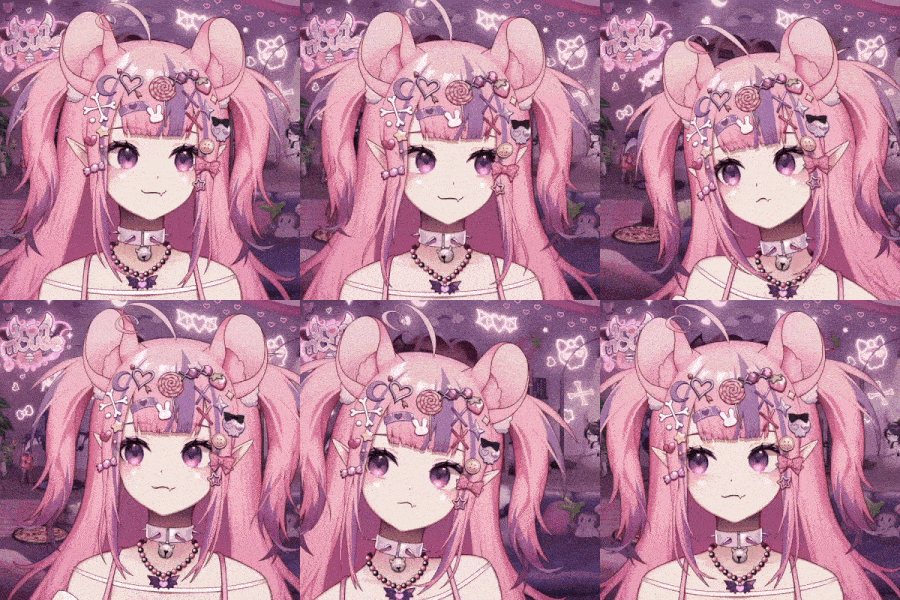
Ironmouse vtuber gif
The term itself was born in Japan. Kizuna Ai, who debuted in 2016, is widely credited as the creator who popularized both the concept and the term “virtual YouTuber.” Since then, entire agencies have sprung up around the idea, like Hololive and Nijisanji, and the phenomenon has gone fully global: in 2022, English-speaking VTuber Gawr Gura became the first VTuber to cross 4 million subscribers on YouTube — a good sign of just how big this space has gotten. 🚀
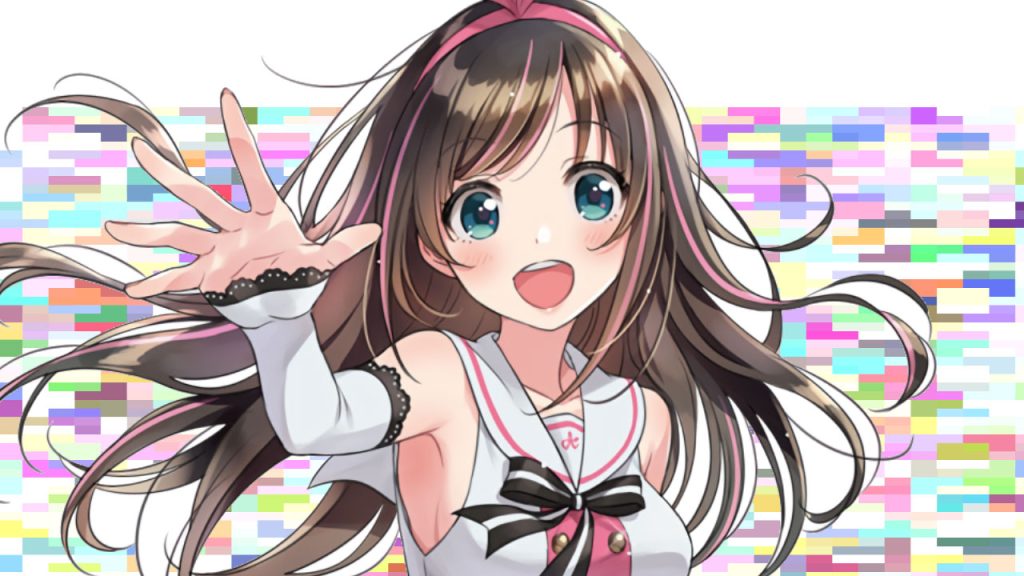
Kizuna AI illustration
Key differences at a glance
| PNGtuber | VTuber | |
|---|---|---|
| Avatar type | Static images (roughly 2–10) | Fully animated 2D (Live2D) or 3D model |
| Reacts to | Your voice (mic) | Your face, head, sometimes your whole body (webcam/camera) |
| Technical setup | Very simple, minutes to set up | More involved, requires calibration |
| Starting cost | $0 – $300 | $0- $5000 |
| PC requirements | Very low, runs on almost anything | Medium to high, especially in 3D |
| Best for | Podcasts, commentary, getting started fast | Gaming, performance, long-term personal branding |
Here’s something that tends to put a lot of beginners at ease: technically, a PNGtuber is also a VTuber. “VTuber” is an umbrella term that covers every creator with a virtual avatar, PNGtubers included. In fact, it’s very common for established VTubers with a full Live2D or 3D model to also keep a PNGtuber version of their character on hand, for whenever they don’t feel like turning on face tracking, or when they’re a guest on someone else’s stream.
A real story: from PNGtuber to a Live2D model 🐸
To make this less abstract, here’s a real, documented example: Froggyhoppins, an independent Australian VTuber. Her journey is basically the textbook version of how a lot of people get into this space, and the timeline is well documented.
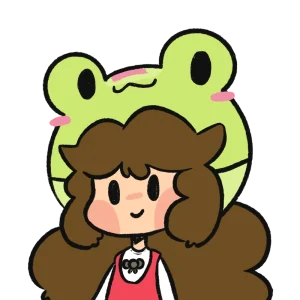
Froggyhoppins avatar pngtuber
Froggyhoppins started streaming on Twitch in May 2022, right away as a PNGtuber, with no animated model at all. With that static image she built a community, became a Twitch Affiliate that same month, and kept growing for over a year doing variety streams and “Just Chatting” sessions. It wasn’t until September 2023, more than a year later, that she debuted her first Live2D model, timed together with a two-week subathon she used to celebrate the milestone.
What’s interesting about this story isn’t just the ending (having her own animated model), it’s the road there: she used the PNGtuber as a bridge for over a year. She didn’t wait until she had the money or the “perfect” model to start streaming, she started with what she had, learned the craft of being in front of an audience, and only invested in the visual upgrade afterward. It’s exactly the pattern you’ll see described across the industry: lots of creators start as a PNGtuber, build their community and their on-camera voice, and then commission a Live2D or 3D model, without losing the identity they already built.
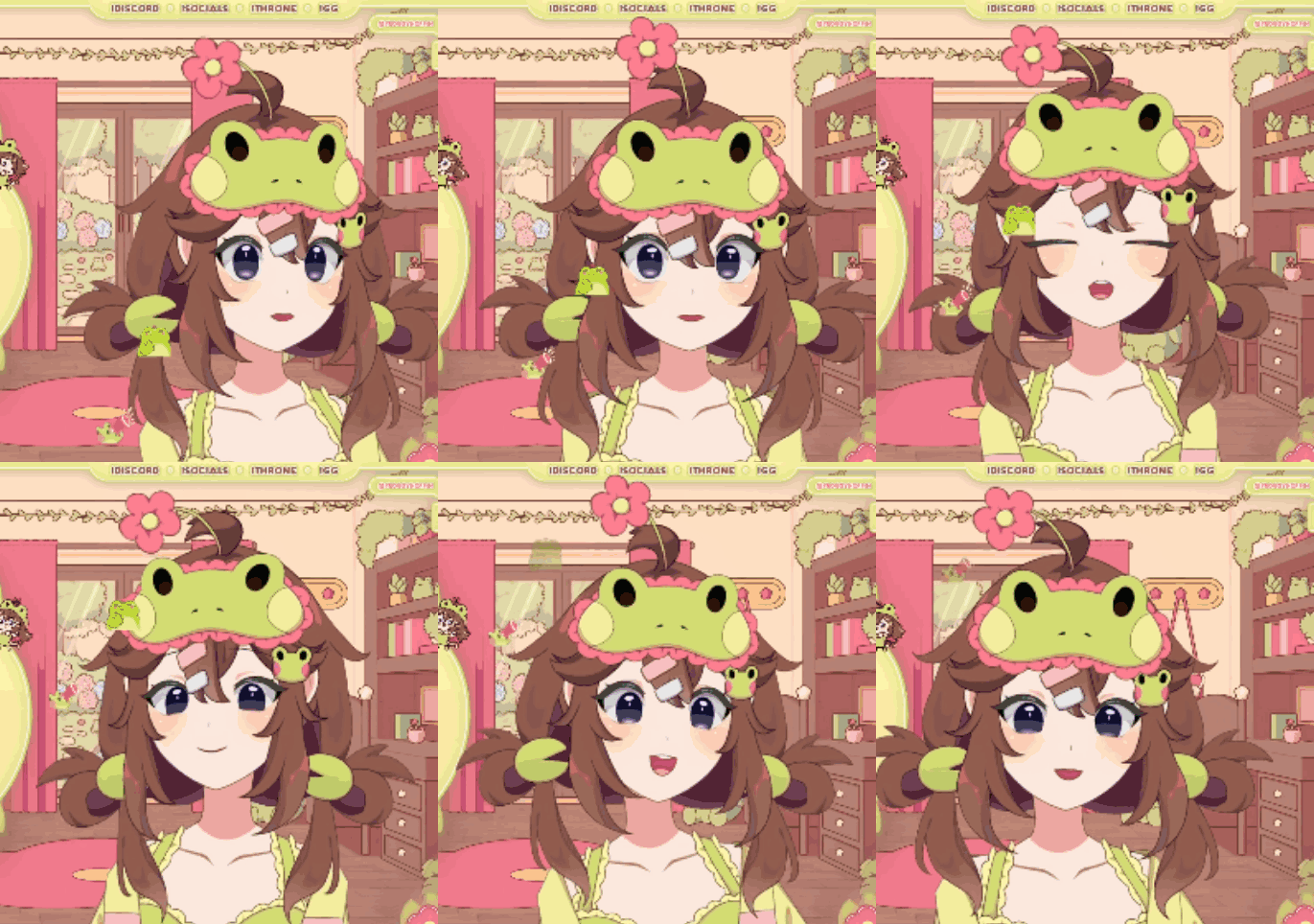
Froggyhoppins Vtuber model 2D
If you’re torn between “start now” or “wait until I’ve saved up for an expensive model,” this is proof that the first option is a completely legitimate path.
PNGtuber: pros and cons ✅❌
Pros:
- You can start literally today, even with 100% free software.
- No webcam or good lighting needed.
- Runs fine on modest computers, something 3D can genuinely struggle with.
- Great if your content leans more toward conversation, commentary, or gaming with your voice front and center.
- Works as a “casual outfit” even for established VTubers who want to stream without a camera.
Cons:
- Limited expressiveness: usually just a couple of states (talking/quiet).
- Can feel less immersive to audiences used to fully animated models.
- If your goal is music covers, dancing, or very visual performances, it falls short pretty quickly.
VTuber: pros and cons ✅❌
Pros:
- Much more expressive and immersive: blinking, head turns, natural gestures.
- Better suited for building a strong long-term brand, collaborations, and advanced monetization.
- 3D models unlock virtual events, concerts, and VR appearances.
Cons:
- Noticeably higher cost: a commissioned Live2D model usually runs $200–$5000+, and a 3D model easily goes beyond that.
- Needs a decent webcam (or an iPhone with Face ID) and, for 3D, a more powerful computer.
- Learning curve: calibrating face tracking, tweaking parameters, keeping the model updated.
- Longer production time: between the art, the rigging, and calibration, it can take weeks.
Software I actually recommend (with free options) 🛠️
For PNGtubing
- Veadotube Mini: My #1 pick to get started. It’s free, lightweight, works on Windows, Mac, and Linux, and lets you set up unlimited states (talking, blinking, different expressions) with keyboard, mouse, Stream Deck, or even MIDI shortcuts. It’s also compatible with avatars made in other tools like PNGTuber Plus.
- PNGTuber Plus: Another very popular free option, made for beginners: drag in your images, set up bounce, show/hide layers, and you’re good to go.
For VTubing
- VTube Studio: The industry standard for animating Live2D models live on stream. It’s free for hobby use (with a watermark), and there’s a one-time, affordable payment to remove it for commercial use. It works with a webcam on Windows and Mac, and it also has an iOS/Android app that leverages iPhone’s Face ID for much more precise tracking. This is the app you’ll actually be using every stream.
- Live2D Cubism : Heads up: this isn’t a streaming app. It’s the tool used to rig a 2D illustration (giving it a “skeleton” and physics) so it becomes the model file you later load into VTube Studio. You only need it if you plan on learning to animate models yourself, whether it’s your own or as a service to others. If you’re commissioning your model from an artist, you don’t need to install it, the rigger handles that on their end and hands you the finished file. It has a permanent free tier and a paid annual Pro plan with extra tools.
- VRoid Studio : Free, for building 3D models by customizing face, body, clothes, and hair, no 3D modeling skills required. Exports as a VRM file.
- VSeeFace : Free, for animating those 3D VRM models live using your webcam. One of the most budget-friendly ways to get into 3D.
- Warudo : Another option for animating 3D models, with more advanced features once you’re ready to level up.
Streaming tools that go around all of this (and yes, there are free options here too)
- OBS Studio : The most widely used and flexible option, completely free, for capturing your avatar and streaming it to Twitch, YouTube, or wherever.
- Streamlabs Desktop : Also free, built on the same base as OBS but with overlays, alerts, and widgets that are easier to set up when you’re just starting out.
Free resources worth knowing about
Here’s something I want to be really clear about, because it trips people up: all three categories; PNGtuber, 2D VTuber, and 3D VTuber have free options to get started. The catch is that free ones are almost always “premade,” meaning they weren’t created with you in mind, an artist uploads them so anyone can use them, which also means other streamers might be running the exact same design.
- Free PNGtuber assets: independent artists upload ready-to-use PNGtuber packs on platforms like Booth. pm, perfect for testing your whole workflow before investing in a custom design.
- Free 2D VTuber (Live2D) resources: VTube Studio ships with sample models so you can test your camera and tracking without owning a model yet, and Live2D offers sample models (like “Hiyori”) built for learning the software. Some rigging studios also give away a full Live2D model (art + rig) as a way to show off their work.
- Free 3D VTuber resources: with VRoid Studio you can build your own 3D model at no cost by customizing face, body, clothes, and hair, then animate it with VSeeFace, also free.
Now, if what you’re after is a design that’s unique, truly yours, and not shared with anyone else, something that matters more and more as your channel grows and you want people to recognize you instantly, the path is a customizable or commissioned model, whether that’s a PNGtuber, Live2D, or 3D. I’m planning a full article on how to pick and commission a custom model without getting overcharged or scammed, so if that next step interests you, keep an eye out for that guide.
How much does it actually cost to get started? 💰
Rough numbers, rounded for simplicity:
- PNGtuber: you can start at $0 if you draw your own character and use Veadotube Mini or PNGTuber Plus. If you’d rather commission it, some artists offer basic packs (idle + talking + a couple expressions) starting around $50–300.
- 2D VTuber (Live2D): the software itself can be free, but a commissioned model (art + rigging) usually falls somewhere between $300 and $1200+, depending on complexity and how in-demand the artist is.
- 3D VTuber: the priciest path, since it involves modeling, rigging, and sometimes extra tracking gear — easily $500–$3,000+ for something professional, though tools like VRoid Studio + VSeeFace let you put together something solid without spending a dime on software.
So which one should you pick? My honest take
If you’ve never streamed before and aren’t sure this is even for you: start as a PNGtuber. There’s zero shame in that, and as Froggyhoppins’ story shows, it’s a completely legitimate starting point, not a consolation prize. It lets you learn to talk to a camera, find your rhythm, and build an audience without risking any money.
If you already have experience streaming with your real face, or your content leans heavily visual (dancing, music, very expressive characters), and you’ve got the budget for it, jumping straight into a 2D or 3D VTuber setup makes sense.
And if you’re already a PNGtuber and feel like your audience is ready for the next step: nothing’s stopping you from commissioning a Live2D model of that exact same character they already know and love. That’s actually the most common path of all.
Final thoughts
At the end of the day, “PNGtuber or VTuber” doesn’t have one universally correct answer, it has the answer that’s right for you, right now. Neither path is objectively better than the other; they’re simply two different speeds for getting to the same place: creating content as yourself, without showing your face. Starting as a PNGtuber doesn’t “cost you points” or make you any less of a VTuber, as creators like Froggyhoppins prove, she now streams with a full model but started with a handful of images and a lot of drive. What actually builds a community isn’t the technical complexity of your avatar, it’s consistency, the personality you bring to every stream, and the real connection you build with the people watching on the other side of the screen. So don’t sit around waiting for the perfect model, grab the free tools listed above, turn on your mic, and start building your virtual character today. Everything else falls into place along the way. ✨