
Your first step as a VTuber starts here
No jargon, no pressure. This is the guide we wish we’d had when we started: character, avatar, gear, software, and your first stream, explained without the fluff.
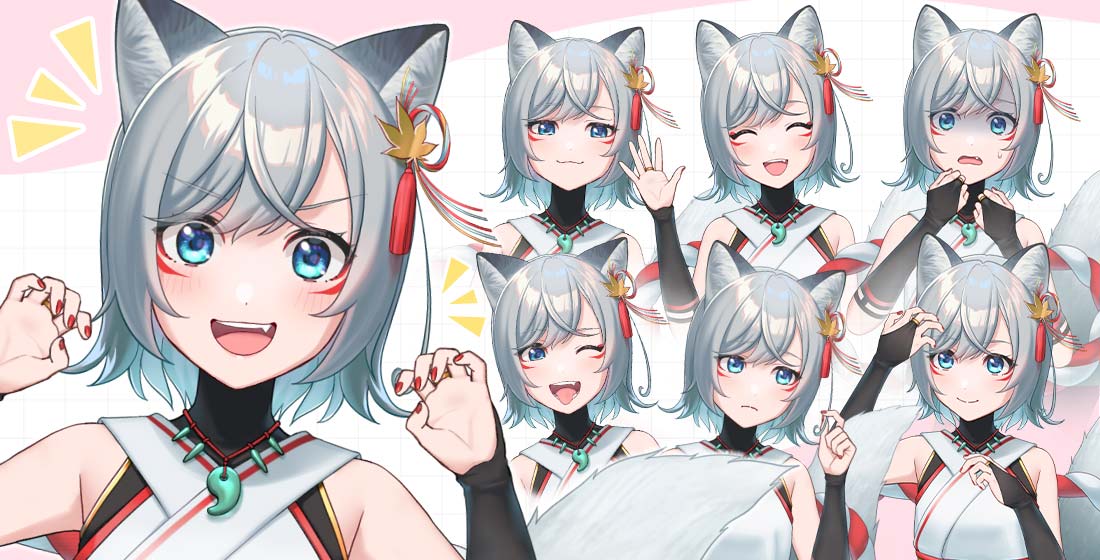 Image provided by Live2D Inc.
👋 Welcome aboard
If you’re reading this, part of you already wants to do it. That’s the hardest part, and you’ve already got it. Everything else, the software, the mic, the perfect name, gets sorted out one step at a time. Let’s go through it together.
What exactly is a VTuber?
A VTuber (Virtual YouTuber) is someone who streams or creates content using a digital avatar instead of their real camera. The term was popularized by Kizuna AI in 2016, and since then it has grown from a Japanese niche into a global movement across Twitch, YouTube, and TikTok. Your voice, your reactions, and your personality are still 100% yours, the only thing that changes is the skin you show the world through.
And no, you don’t need to know how to draw, own a gaming PC, or ever show your face. You can start with what you already have.
The path, step by step
This is what the full journey looks like for most VTubers, from idea to first live stream. You don’t need to perfect each step before moving to the next, so don’t get stuck chasing perfection.
Define your character
Before touching any software, decide who your VTuber is. It doesn’t have to be the opposite of you: the characters that work best are an amplified version of your own personality. Are you chaotic, calm, sweet, sarcastic? Pick a concept you’ll still enjoy embodying by stream number 30.
💡 Stuck on a name? Try our free Name Generator to get ideas in seconds.
Design your avatar
It can be 2D or 3D, free or commissioned. For 3D, VRoid Studio is free and widely used to create exportable anime-style avatars in VRM format. For 2D, Live2D Cubism is the industry standard, though rigging is usually outsourced to an artist (typical pricing ranges from $300 to $5,000+ depending on complexity). If you’re not ready to commission anything yet, ready-made avatar generators can get you streaming in under an hour.
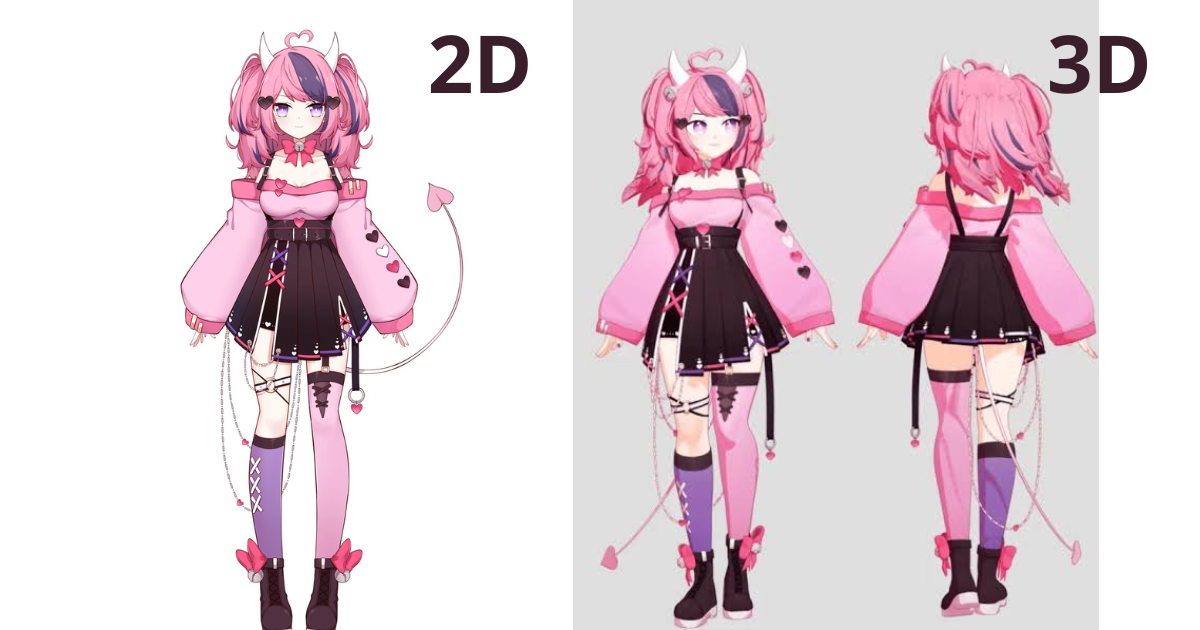 Ironmouse VTuber, difference between a 2D and 3D VTuber avatar.
Get the basic gear
The most common mistake is investing in a camera before audio. Your audience will forgive a basic webcam, but they won’t forgive echo or noise. Priority order: a decent USB condenser microphone (roughly $80–120), then a webcam for facial tracking, and a PC that can run tracking software and streaming software at the same time.
A realistic starting budget is $0–500 using what you already own. You can always upgrade later.
Pick your tracking software
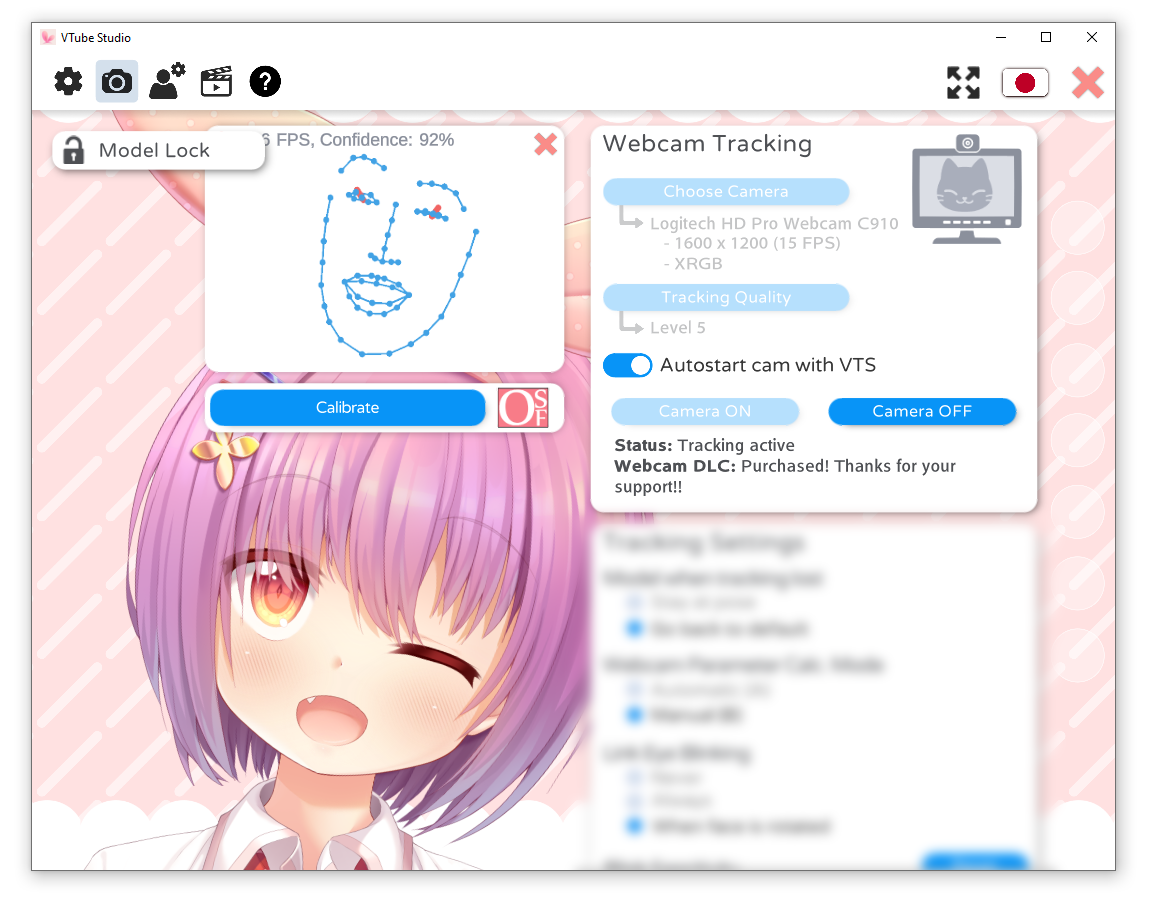
This program translates your real-life movements to your avatar in real time. For 2D models, VTube Studio is the most popular option and has a direct OBS plugin. For 3D, alternatives like VSeeFace, VNyan, or Warudo are widely used for their stability and built-in chat interaction features. All of them work with a basic webcam to get started.
Set up your streaming software
OBS Studio (free) is the backbone of most streams: layer your avatar over your gameplay with a transparent background, add your audio source, and you’re set. Streamlabs is another popular option if you want built-in widgets from day one, though it’s more resource-intensive.
Your first stream
Treat it like a small event, not just a technical test. Prepare a short intro script, double-check that your tracking looks smooth, test your audio ahead of time, and let your close circle know the date. The energy of your debut stream matters more than technical perfection.
Content and growth
Real discovery comes from clips, not stream hours. After each stream, cut 1–2 highlights and post them on TikTok or YouTube Shorts with your avatar clearly visible. A predictable schedule (even just 2 streams a week) builds a bigger audience than five random-hour streams. And collabs with other VTubers remain the community’s strongest growth engine.
Use our Playground to decide faster
A lot of the decisions from the steps above (a name, a theme, what to stream today) are easier to make when you turn them into a game. That’s why we built these four free tools:
A realistic budget
Frequently asked questions
Do I need to know how to draw to become a VTuber?
No. You can use free avatar generators like VRoid Studio, commission an artist for your design, or start with a pre-made model while you save up for your own.
Can I be a VTuber without ever showing my face?
Yes, that’s one of the format’s biggest advantages. Face tracking works the same way whether or not your real image ever appears.
How long does it take for a VTuber channel to grow?
It varies a lot by consistency and niche. What stays constant: channels that post short clips regularly grow faster than those relying only on live stream hours.
Which platform should I start on: Twitch, YouTube, or TikTok?
Twitch and YouTube are still the most used for long-form live streams; TikTok works best as a discovery engine through clips. Many VTubers use a mix of all three.
Ready for the next step? 🚀
Want to start for free? Check out our free resources before spending a single dollar.